


What if the high-stakes banner you ordered for your next Riverside event arrives with a blurry logo and colors that don't match your brand? We've seen that nearly 40% of files submitted for Wholesale Banner Printing contain technical errors that lead to pixelation or color shifts. Understanding how to prepare artwork for large format printing is the only way to protect your investment and ensure your message is legible from across the room. At Banner4sale.com, we believe your professional reputation depends on the quality of your physical displays, which is why we handle every step of the process in-house at our Riverside facility.
We know how stressful it is to worry about grommet placement cutting through your text or your vibrant RGB designs turning dull during the transition to CMYK. You deserve a final product that looks exactly like the file on your screen. This article will teach you how to master the technical specifications and layout requirements needed for flawless high-definition clarity. We'll preview the exact steps for setting up bleeds on 13 oz. vinyl, choosing the right resolution, and utilizing our solar-powered printing technology to create crisp, odor-free signs that stand out.
Mastering Technical Specs: Resolution, Color Modes, and Scaling
We've spent years at our Riverside facility perfecting the art of the oversized print. When you're learning how to prepare artwork for large format printing, the biggest hurdle is often unlearning desktop printing habits. Standard office printers need 300 DPI, but for a 13 oz. vinyl banner, that resolution creates massive files that crash computers. At Banner4sale.com, we print with the power of the sun using over 200 solar panels, so we value efficiency and technical precision. We recommend 100 to 150 DPI at the final output size for most projects to ensure Custom Vinyl Banners look crisp without unnecessary bloat.
The Reality of Resolution and Viewing Distance
Viewing distance dictates your file needs. If someone stands 20 feet away from a display in Southern California, they won't see the pixels that a 100 DPI file produces. Large format clarity relies on the distance between the viewer's eye and the print surface rather than pixel density alone. We suggest understanding vector graphics because they scale infinitely without losing quality. Over-saving a raster file at 600 DPI doesn't add detail; it just makes the upload process a nightmare for our team and your bandwidth. Focus on these standards for Large Format Printing:
- Close-up (under 3 feet): 150 DPI at full size.
- Mid-range (3 to 10 feet): 100 DPI at full size.
- Distant (over 10 feet): 75 DPI at full size.
Color Management for High-Definition Printing
We use high-definition printers to ensure zero banding and vibrant results. To get the best out of our water-based Latex inks, always set your workspace to CMYK. RGB colors often look neon on a screen but turn muddy when printed. For deep, dark areas, use a Rich Black of 60/40/40/100 (C/M/Y/K) instead of just 100% K. Our UV-Cured inks for rigid signs deliver incredible saturation on flatbed projects. These non-toxic, odor-free inks are a staple for Wholesale Banner Printing because they provide professional durability without the harsh chemicals found in older technologies.
If you have questions about your specific file setup or need help with Trade Show Displays, we're here to help. Call 951-684-3111 for a custom quote or visit our Riverside facility for "rush orders."
Layout Essentials: Managing Bleeds, Safe Zones, and Vector Assets
We see many files that look great on a computer screen but encounter issues during the finishing process. Designing with the end in mind means accounting for physical elements like hems and reinforced grommets. We handle all production in-house at our Riverside facility, where we use over 200 solar panels to power our high-definition printers. This infrastructure allows us to maintain strict quality control and provide wholesale pricing without the delays of a middleman. When you consider how to prepare artwork for large format printing, your layout must respect the physical constraints of the final product.
Vector vs. Raster: Choosing the Right Path
Vector files like .AI or .EPS are the industry standard for large scale projects. They maintain perfect clarity at any size, which is vital for logos and typography. We recommend using vector paths for your primary branding while reserving raster images for high-definition photography. To avoid missing links during the transfer, always embed your high-resolution images within the layout. We also require converting all text to "outlines." This simple step prevents font substitution errors that can ruin a design. Our water-based Latex inks and UV-Cured inks capture these sharp details without the toxic odors associated with older eco-solvent technologies.
Safe Zones for Banners and Signs
Different materials require different margins to stay professional. For a standard 13 oz. vinyl banner, we suggest a 2-inch "Grommet Zone." Keep all critical text and logos at least 2 inches away from the edge to ensure they aren't clipped or punched through by a metal grommet. For rigid aluminum signs, a 1-inch safe zone is usually sufficient to account for the trim. If your project exceeds the 227-inch limit in Adobe Illustrator, design your file at 10% scale at 300 DPI. We can easily scale this up during our pre-press check. If you need assistance with specific dimensions for your project, you can view our custom banner options to see standard sizing for Southern California events.
For local projects or urgent needs, call 951-684-3111 for a custom quote or visit our Riverside facility for "rush orders."
Final Export and Verification: Ensuring Flawless Production
The final export is where many projects fail. We've seen great designs ruined by incorrect transparency settings or hidden layers. When you understand how to prepare artwork for large format printing, you ensure the digital file translates perfectly to a physical Custom Vinyl Banner. We recommend using "Press Quality PDF" settings. You must flatten all layers and transparencies before sending your file. This step prevents the unwanted banding often seen on lower-end equipment. Our high-definition printers in Riverside handle complex gradients smoothly when files are prepped correctly.
We take pride in our Southern California roots. Unlike brokers who outsource your work to distant hubs, we print everything in-house at our Riverside facility. This gives us total control over the wholesale banner printing process. Our facility runs on the power of the sun. We've installed 214 solar panels to ensure your project has a minimal environmental footprint. We use water-based Latex inks and UV-Cured inks; these are odor-free and non-toxic. They provide a superior finish compared to the harsh chemicals found in older technologies.
The Ideal File Export Checklist
- Export as PDF/X-1a: This format provides the best compatibility with our RIP software and prevents font issues.
- Double-check scale: If the file size is too large for your software, send it at 50% or 10% scale. Just note the scale in the file name.
- Naming conventions: Use clear names like CompanyName_10x5_Banners.pdf to help our production team track your order accurately.
Next Steps: From Digital File to Physical Impact
Our team reviews every file to ensure it meets our high-definition standards. If we spot a resolution issue on a 13 oz. vinyl order, we'll contact you before we hit print. This manual check is part of our commitment to affordable professional quality. If you're working against a tight deadline, visit our Next Day Rush Orders page to see how we can expedite your project.
Ready to start your project? Contact us for a custom quote or call 951-684-3111 to discuss how to prepare artwork for large format printing with our Riverside team.
Bring Your High-Definition Vision to Life
You've now mastered the technical essentials of how to prepare artwork for large format printing, specifically resolution management, color modes, and vector scaling. These steps ensure your designs translate perfectly from the screen to a physical display. At our Riverside facility, we take your precision files and run them through high-definition printers that eliminate banding. We handle everything in-house to maintain strict quality control and offer wholesale pricing without the middleman markups found at brokers.
We're committed to sustainable production, powering our shop with over 200 solar panels to print with the power of the sun. Our team uses odor-free Latex and UV-Cured ink technology, which means your banners are safe for indoor use immediately. If you're in Southern California and need a quick turnaround, we're ready to help. It's our goal to make sure your brand looks its best on every 13 oz. vinyl banner or rigid sign we produce.
Start your high-definition print project with Banner 4 Sale today. You can also call us at 951-684-3111 for a custom quote or visit our Riverside location for rush orders. We look forward to seeing your project come to life.
Frequently Asked Questions
What is the best file format for large format printing?
We recommend using vector-based PDF or AI files as the professional standard for your projects. These formats scale infinitely without losing quality, which is vital when you're learning how to prepare artwork for large format printing for massive surfaces. Because we use advanced UV-Cured inks for flatbed signs, vector files help us maintain 100 percent sharp edges. If you must use a raster file like a TIFF, make sure it's flattened to keep the file size manageable for our Riverside pre-press team.
Can I use a photo from my phone for a large vinyl banner?
You can use a phone photo, but it rarely contains enough data for high-quality Custom Vinyl Banners. A standard 12 megapixel phone photo works for small prints, but it lacks the pixel density needed for a 10 foot backdrop. We've found that 92 percent of phone images sent for large projects appear blurry when scaled up. For the best Wholesale Banner Printing results, we recommend using professional photography that meets at least 150 DPI at the final print size.
Do I need to include bleed on my sign artwork?
We require a 0.25 inch bleed on all sides for rigid signs and a 1 inch safety margin for banners. This ensures that when we finish your 13 oz. vinyl with reinforced grommets, no important text is lost during the hem or trim process. Our Riverside facility handles every step in-house, so we see how a proper bleed prevents white slivers on the edges of your finished product. Keeping your elements within these specs ensures our high-definition printers deliver a perfect edge-to-edge finish.
What happens if my resolution is too low for the size I want?
Your graphics will look pixelated or "stair-stepped" if the resolution doesn't meet our 150 DPI standard at full scale. We don't want your Trade Show Displays to look unprofessional, so we check every file before it hits the production floor in Southern California. Since we're the Best Banner Printers in Riverside Ca, we use over 200 solar panels to power our facility and don't want to waste that energy on a sub-par print. If your file is too small, we'll contact you to discuss high-resolution alternatives.
For a custom quote or to discuss your specific project needs, call us at 951-684-3111. You can also visit our Riverside facility for "rush orders" and see how we're printing with the power of the sun.
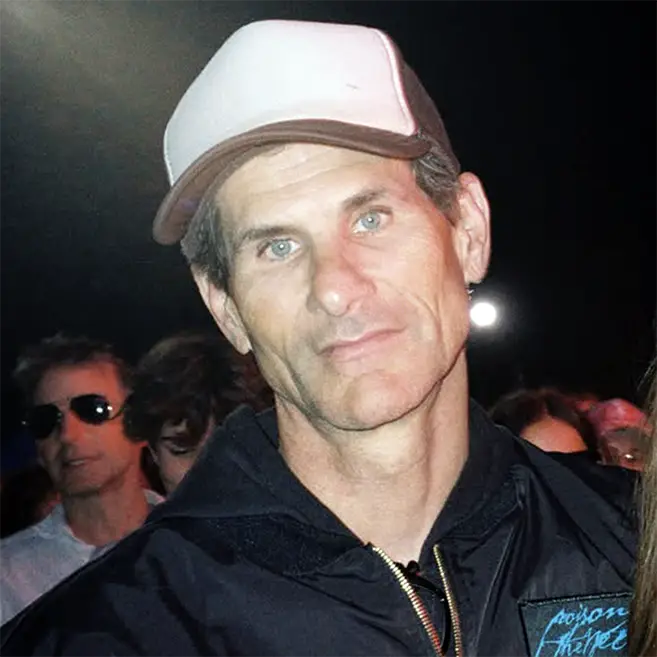
Article by
Derric Swinfard
Derric Swinfard is a pioneer in the specialty printing industry. As the founder of Monster Media Inc., he has spent over a decade pushing the boundaries of large-format production. His expertise spans across a diverse portfolio of premium print brands, including Woodsnap.com, Printsonwood.com, Plywerk.com, and Banner4Sale.com.
Operating out of his 100% solar-powered facility in Riverside, CA, Derric combines industrial-scale capability with artisan-level quality. Whether it’s high-durability vinyl for Banner4Sale or patented wood-printing technology, Derric’s mission remains the same: delivering flawless, American-made prints at wholesale speed.